
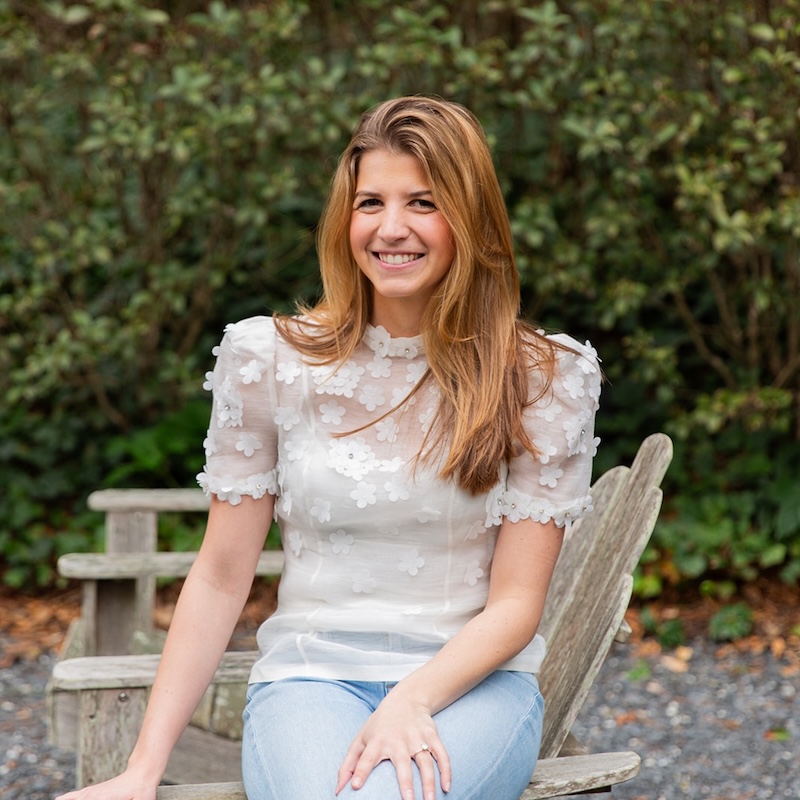
Hayley and I discuss how Pinterest works differently than social media, why pins can bring results years later, and simple ways you can start using it today without adding more overwhelm to your already busy schedule.
The post Maybe It’s Time to Rethink Pinterest with Hayley Price (241) appeared first on Art Biz Success.
]]>
The post Maybe It’s Time to Rethink Pinterest with Hayley Price (241) appeared first on Art Biz Success.
]]>The promotional postcards are designed and ready to be sent. Check! You’ve planned a couple of emails to your list. Check!
Now … what can you share with your friends, fans, and followers that is more interesting than “Come see my show!” but relates the message that they’re really going to miss out if they’re not there?
How do you tweet, post, shoot, and pin your exhibition without boring your followers and yourself?
The post 22 Social Media Updates About Your Show That Won’t Bore Your Followers appeared first on Art Biz Success.
]]>You’re having an exhibition of your art. Congratulations!
The promotional postcards are designed and ready to be sent. Check! You’ve planned a couple of emails to your list. Check!
Now … what can you share with your friends, fans, and followers that is more interesting than “Come see my show!” but relates the message that they’re really going to miss out if they’re not there?

How do you tweet, post, shoot, and pin your exhibition without boring your followers and yourself?
In my experience, you’ll have juicier updates across platforms if you take time to create a list of possibilities ahead of time. You’ll also be less stressed about what to post each day.
Timesaving, Sanity-saving, Fun-saving tip: plan your social media in advance.
Here are just 22 examples of what you could be sharing across platforms.
Your Art & Space
1. Instagram close-ups of the material and messes around your studio.
2. Create a Pinterest board of the travel, books, music and other inspirations surrounding the work you’ll be showing.
3. Facebook or blog details of the art that will be on view – with a teaser that they’ll have to visit the exhibition to see the whole piece.
4. Create a 1-minute time-lapsed YouTube video of the installation process.
5. Facebook images, video, and links that are related to your subject matter – tagging people, businesses and organizations as appropriate.
6. Pull together a SlideShare video with all of the art in the show.
Your Business
7. Blog or Facebook your task list for the last two weeks leading up to the opening.
8. Tweet examples of contracts or form letters you found helpful during the process.
9. Recommend people who have helped you in the process on LinkedIn or Yelp.
The Installation
10. Make a video explaining the philosophy behind the installation plan or model.
11. Instagram the process of packing, crating, and shipping.
12. Facebook signs and marketing material at the exhibition (especially those with your name on them).
13. Tweet about other artists in the show or art on view at a nearby venue.
The Venue
14. Create a Pinterest board just for your visitors that shares information about restaurants, bars and coffee shops in the neighborhood. I do this for people who come to my events in Golden – personalized with my experiences of the locations and businesses.
15. Facebook parking instructions with detailed photos.
16. Tweet that you’ve placed a 2” piece of art in one of the parking slots and tell people to look for it when they arrive. (But only if you’ve actually placed a 2” piece of art in one of the parking slots.)
Your People
17. Tweet photos of people looking at your art at the opening. Better yet, assign someone else to do this from your account.
18. Video fans and collectors raving about the exhibition.
19. Leave notes of enthusiastic anticipation about your upcoming show on the Facebook pages of the venue.
20. Instagram photos of the staff at the venue, gallerists, curators, preparators, and security guards.
21. Tweet notes of gratitude to the venue and its staff.
22. Facebook your appreciation to volunteers who helped you along the way (your kids, spouse, best friend)
Ta da! Now go make your own list before you find yourself scrambling for content.
Have you done any of these or know of anyone who has? Please leave a link in a comment so others can see examples.
The post 22 Social Media Updates About Your Show That Won’t Bore Your Followers appeared first on Art Biz Success.
]]>The post Bite-Sized Social Media Insights appeared first on Art Biz Success.
]]>I am lucky to interview people who have plenty of knowledge to help artists grow their businesses. Coincidentally, the three most recent interviews I’ve conducted have been related to social media.
While my clients might have focused on one part of the interviews, I had my own takeaways. Here are my big insights from each of these.
Artist Col Mitchell designed a 3-month experiment to test engagement and reach on her Facebook page.

Since Col is a member of the Art Biz Incubator, she agreed to share her findings with members.
I love that Col was deliberate about measuring results.
>>> Big Insight from the interview: I am inspired to try Facebook’s “Boost Post” option for select posts on my business page.
This seemed to make a difference for Col and I’ve been hearing good things about this option from others.
I want to be strategic about it, though. I don’t want to pay for just any post to be promoted. It has to have a lot of value for my page members and potential fans.
So here’s a bonus Big Insight that will become my first action: It would be beyond valuable to create a strategy for my Facebook business page.
A strategy would not only keep me sane when trying to decide what/how/when to update, but it would also help me track what works and what doesn’t.
When I asked arts advocate and social media expert Rebecca Coleman what she was most excited about these days, she said, “Instagram.” So that’s what we talked about in an interview for the Art Biz Incubator.

>>> Big Insight: Pinterest is for images that already exist on the Web, while Instagram is for putting new photos out there.
That sounds like a “Duh” moment, but it was a way that I hadn’t considered to distinguish two visual sites. Rebecca inspired me to get my account moving again.
Since our conversation I have posted about 25 more images to Instagram – sometimes simultaneously to Twitter or Facebook. This doesn’t sound like a lot, but it’s big progress considering there were 2 photos on my Instagram profile before we talked!
Beth Hayden did a smashing job in last week’s teleseminar about using Pinterest for your art business. I took a ton of notes!
Above all, I was inspired by Beth’s enthusiasm about Pinterest and some of the statistics she shared with us.
>>> Big Insight: Pins with price tags get 36% more clicks than those without. That’s significant and surprising! People know you’re selling something, but they still click on it.
This is an excellent reason to make sure you pin images of your art with prices included and the complete credit line in the description.
And You?
What insights have you had about social media these days? What is working for you? What isn’t?
The post Bite-Sized Social Media Insights appeared first on Art Biz Success.
]]>The post 5 Ways for Artists to Get More Pinterest Followers appeared first on Art Biz Success.
]]>More and more artists are jumping into the world of Pinterest every day. If you’re one of them, and if you’re like the new pinners I know, you’ll inevitably start wondering, “How do I get more Pinterest followers?”
Building a Pinterest following takes time, so you’ll need patience. These five suggestions should get you started.
1. Pin regularly from unique sources.
If you pin a couple of meaningful things a day, you will get more followers. As your content gets repinned and liked by other users, some of them will notice your profile and follow you.

If your art business has target audience (women, gardeners, brides, golfers) then you should be pinning some content that appeals to that target demographic. Consider your customer when you’re pinning, and pin content that customer would enjoy.
Think entertaining, educational and interesting content.
While NOT all of your content has to appeal to your target audience (some of your pins will just be fun or beautiful stuff that you enjoy), it will help you attract more customers and get more followers if you pin stuff that attracts your target clientele.
Make sure you’ve downloaded the Pinterest bookmarklet for your browser, which allows you to pin from any Web page.
Did you know that 85% of the pins on Pinterest are repinned from within another pinboard? This is where you can outshine other Pinterest users who don’t know better. You will grow your following faster by introducing content from additional websites and blogs instead of just recycling other people’s pins.

2. Comment on pins.
The fact that there are very few comments in the Pinterest world means that comments stand out, which is exactly what you want.
When you post thoughtful comments on a pin, they continually travel around Pinterest with that pin. That can lead to clicks on your profile. If your comments are valuable and your pinboards are intriguing, lots of people will decide to follow you.
Target people who share your audience and comment on their pins. Add compelling discussion points or conversation starters instead of just saying, “Nice image!” or “I love this!”
3. Join collaborative boards.
If you’ve been on Pinterest for a while, you may be starting to get invitations to join collaborative boards. That means someone has started a group board that multiple people are pinning to, and they’d like you to join in on the fun.
Here’s the secret few people know: collaborative boards are an amazing way to build your following. Every time you pin to a collaborative board, that pin goes out to every follower of every Pinterest user who co-pins on that board, which puts you in front of a potentially HUGE audience!
So if you get invited to pin on a group board, and the topic of the board is interesting to you, say Yes!
If you’re not getting invitations yet, start your own collaborative board, and invite your favorite pinners to join you in pinning to it. Be creative and fun with your board topics, so more people will decide to join you in pinning to it.

4. Follow other pinners.
Try to follow 5-10 people or more every week. A substantial portion of those folks will follow you back.
Follow your target customers, other artists, art magazines, potential collectors, curators, and galleries. Following lots of people makes Pinterest more enjoyable anyway.
5. Regularly tell your blog readers and email subscribers that you’re on Pinterest.
If you write a blog (and I really hope you do), remind your readers that you’re on Pinterest from time to time and give examples of what you pin.
If you publish an email newsletter, make sure to let your subscribers know that you’re on Pinterest, too. You may want to add an “I’m on Pinterest!” button to the bottom of each of your newsletters.
Key Takeaway
The key to developing a significant Pinterest presence is taking small, consistent steps. Even putting in ten minutes a day will yield BIG results.
Don’t forget that I said you need patience. A larger following will evolve but, like all good things that are worthwhile, it’s a process.
Use these techniques and watch your following grow!
Guest blogger Beth Hayden is a social media expert and author of Pinfluence: The Complete Guide to Marketing Your Business with Pinterest.
The post 5 Ways for Artists to Get More Pinterest Followers appeared first on Art Biz Success.
]]>The post Cheat Sheet For Social Media Status Updates appeared first on Art Biz Success.
]]>What can I share with followers to keep it fresh?
What can I share that will be interesting?
What can I share that will be re-posted by others?
What can I share besides another blog post?
I created my list, and then I decided to create one for you. I had Facebook in mind, but you can use it with your favorite social media site.
28 Status Updates For Facebook

Images of your art
1. Entire image when complete
2. Details
3. Installed
4. In progress
5. Crating and shipping
Always add a complete credit line in the description.
Photos of your studio
6. Entry
7. Signage
8. Wide view (indoors or out)
9. Close-ups of specific areas
10. Material
11. Messes
12. Nearby artist studios
Events
13. Openings, gallery talks, and workshops on your schedule
14. Openings, gallery talks, and workshops you attend
Add photos from events whenever possible.
Your inspiration or things you think are really cool
15. Other living artists
16. Figures in art history
17. Photos from your travels
18. Movies
19. Books you are reading
20. Photos of nature, people, buildings, color, things
Don’t forget to add the Why. Tell us why you are inspired by this or that so we can see what you see.
People
21. Photos of your collectors with their art
22. Photos of you with your students
Learning
23. Most valuable thing you learned at the last workshop you attended
24. Breakthrough AHA moment
Quotes
25. From you
26. From artists
27. From anyone else who inspires your art
Quotes that are created as images – perhaps on top of a lovely image – seem to be shared more than words on their own.
Video
28. There’s no end to the ideas for video. I’ll let you be inspired by the program R. Daniel Foster did with me, Promote Your Art Through Video.
Let’s continue expanding this list! Share your ideas for #29 in a comment.
The post Cheat Sheet For Social Media Status Updates appeared first on Art Biz Success.
]]>The post Don't Pin It and Forget It – Promote Your Pinterest Boards appeared first on Art Biz Success.
]]>Few will argue that Pinterest provides incredible exposure for visual brands; except maybe artists. Once you move beyond the copyright violation argument artists wage against the Internet, Pinterest still remains a fabulous option for creatives who want other people to see their art. Specifically, the 10.4 million members, 80% of whom are women.
But we must not forget that Pinterest exists solely on Pinterest. To only pin your beautiful work without further promotion limits your online visibility. Think of it like this: If you attend an art show in Chicago, only the people at the art show in Chicago will see your work. To reach the rest of the world, you have make stops in different cities. Pinterest is Chicago. The rest of the Internet is the world.
Here are 4 tips to reach the rest of the world via Chicago (Pinterest).
1. Create a Pinterest Contest
Are you an artist with an artistic audience? Do you like to teach, inspire and encourage other artists? Are other artists part of your target market?

Set up a Pinterest board for your favorite pieces of work and showcase your top 10 all-time favorite masterpieces (it can be a mix of your own and others’). Then set up a contest asking others to share their favorite work. By engaging your followers with a contest, you achieve multiple goals:
- You get to showcase your work.
- You give people a better idea of your style and interests.
- Your followers get to showcase their own work and interests and gain the type of visibility they may not have access to on a daily basis.
Offer a prize for your favorite submission, and you’ll add a gaming factor to the mix. Make it fun and interactive, and don’t forget to publicly acknowledge your fans’ artistic creativity by liking and commenting on their submissions.
The fine print: Ask your followers to create their own board and then either email you the link or tag your Pinterest profile name as the name of their new board, e.g. @ABStanfield. To launch the contest, write a blog post about it, encouraging your readers to check out your new board on Pinterest.
2. Cross-Pollinate Your Content
Although some of your fans may be following you on all your social profiles, don’t be shy when it comes to posting the same content across your social networks. If you just created a new board on Pinterest, let your Facebook followers know. Post one pictures as a teaser with a link back to the new board and a quick snippet about your latest project. Same goes for Twitter, LinkedIn, YouTube, you name it.
Since Pinterest is one of the most visual of social brands, it’s a good idea to choose it as your social network headquarters and then work off your social profiles from there. Post everything to Pinterest first and use your other networks to drive traffic back to headquarters (your website, of course). This doesn’t have to be true for every post you write on Facebook, but it’s a good idea to remind everyone that your full body of work can be found in one place – on Pinterest.
3. Create a Complementary Blog Board
Tell your story through images . . . that’s what you do already right? When writing your next blog post, see if you can create a board with 5-10 images that capture exactly what you’re writing. Maybe you’re writing a post about your latest experience live painting at a conference. Share photos of color palettes, music, energy, whatever inspired you that day. And of course, pin your final products.

When creating these boards, repin from others’ pins – your work is inspired by the things around you, right? When you are ready to publish your blog post, include a link to the Pinterest board for the visual side of the story.
Pinterest Best Practices: Always link back to your blog in the comments section of your pins so that Pinterest followers can get back to your website. Think of it as two-way traffic.
4. Update Your Social Plugins

You’d be surprised how many people fail to add social plugins to their blogs and website. The people who are finding you on your website might not necessarily think to look for you on Facebook, Twitter, Pinterest and/or YouTube. Likewise, if someone found your website from Pinterest, they might not know you are on Facebook as well.
Alyson and I recently noticed that the social plugins weren’t appearing on our sites. It might have been because of a WordPress update, but it’s not good!
Go back to your website or blog and make sure your plugins are updated. That means you need to link up Pinterest too!
Pinterest is ever evolving and growing, so don’t worry if you don’t have a robust profile yet. You’ll get there, and people will enjoy following you on your journey.
So there you have it – an action plan of creative ideas to promote your pins to the world! Safe travels.
About Our Guest Blogger
Ashley Herzberger owns a social media consulting and management company, The Social Shoppe. [Update: no longer online] She helps small businesses and startups create and execute social media strategies and campaigns, specializing in content creation. When she’s not tweeting, pinning, Facebooking or writing, she teaches yoga and bakes cupcakes.
The post Don't Pin It and Forget It – Promote Your Pinterest Boards appeared first on Art Biz Success.
]]>The post Is the Pinterest Problem Really a Problem? appeared first on Art Biz Success.
]]>This blogger and that blogger have been raising legitimate concerns about Pinterest’s Terms of Service and copyright infringement.
There is enough worry out there that I felt it necessary to follow up.
Note: This is not intended to scare anyone away from using Pinterest. I just want to make sure you hear the concerns about using Pinterest along with the rosy side we gave you earlier. I don’t consider the case closed with this post. We’re still beginning to understand the situation and will watch how Pinterest evolves.
Read the Terms of Service (TOS)
We’re all guilty of agreeing to stuff without reading it, but you need to understand what you’re getting yourself into before signing on to Pinterest or any other site. Or, if it’s too late, to understand what you’re involved with.
I recall not too long ago that arti sts were up in arms about Facebook’s TOS – giving Facebook “ownership” of the images. Facebook tweaked their terms and addressed some concerns, but we kept on using Facebook and uploading images. We got past it. Hundreds of millions of images are now shared on Facebook.
Pinterest’s terms seem a little more egregious as they include the word sell. No one sees that they’re going to sell prints of images from their site in the near future, but the inclusion of this word is giving of a lot of people second thoughts about using Pinterest.
The other red flag in the TOS is that you, the pinner, are ultimately held liable for pinning any images that you don’t have permission to share or that aren’t copyright-free. This is scaring a lot of people. Heck, it scares me! I don’t want to pin anyone who doesn’t want to be pinned. Read this PC World article for a more detailed analysis.
Kirsten Kowalski, a lawyer and photographer, outlines her assessment of the legal language Pinterest uses and shares why she “tearfully” deleted all of her boards. UPDATE on March 3: You must read her follow-up to this post after the founder of Pinterest, Ben Silverman, called her to discuss how they might address her concerns.
Protect Your Images While Still Allowing Them to Be Seen and Shared
I’m a firm believer that legitimate sharing of images with due credit and proper linking is good for most artists. (Licensing artists are one exception.) You want people to love your work enough to share it with others. That’s one reason you post your work online.
The problem with Pinterest (besides the TOS listed above) is that people are pinning images from non-original sources: admirers’ Facebook pages, Google images, third-party articles and blog posts, etc. When this happens, there is often no credit to the artist or link to the artist’s site. If the original source (the artist’s site) isn’t pinned, the artist (the originator) is left out and the image is just another pretty picture on Pinterest.
Note to Pinterest pinners: Please pin from original source sites only and credit the artist in every description.
Don’t bother with adding metadata to your images or making fancy file names just for Pinterest. Pinterest, like Facebook, Flickr and other sites, strips out the metadata when the images are on their site. Incidentally, from what I have read, Google+ does not strip metadata from image uploads.
Read the Artist Bill of Rights account of how they confirmed this practice and why you should care.
This is a big concern for many people, but, as I said, these other sites have been doing it long before Pinterest became the darling of the social media scene. We moved past their transgressions.
Consider these four ways to protect your images.
1. Keep your images at a low resolution (72 ppi) and small-ish size.
I don’t mean thumbnails only. I just mean don’t put an image of your art online that is 2000 pixels wide. If you upload an image 2000 pixels wide, it stays that large on your server – even after you resize it in a blog or website editor.
A large image online (large enough) is probably 400-600 pixels in any direction. If you don’t know how to resize your images before you upload them, you need to learn how to do this pronto! The larger the image size = the slower the loading time = less search engines love for your site.
2. Always always always provide a credit line for your images wherever you share them online.
I’ve been on my soapbox for years about this and many of my artist-readers still aren’t doing this.
Adding your name, copyright info, and details below each image reminds people that they don’t own the rights to use that image.
This means each image should have a credit line like this underneath it and clearly visible:
©2012 Alyson Stanfield, Title of Artwork, medium, size.
Yeah, your name might be at the top of your page, but scroll down a bit. Is your name still visible?
Your name should always be with a © notice, as should a date if you want to be recognized for making the piece at a certain point in time. This is helpful when you’re trying to claim a creation date ahead of someone else.
Add this data in a description on Facebook with each image you share on that site.
There is no excuse for neglecting this step. Doing so is sloppy copyright management. If you want to be given credit for your work by others, you have to give yourself credit first.
3. Watermark your images, which would mean that your © notice would be present on the image wherever it’s used on the Web.
I’m still trying to decide how I feel about watermarking. I’ve always been against it (see pages 80 and 104 of I’d Rather Be in the Studio). But if you’re going to do it, I suggest watermarking (stamping is probably a better word) the lower edge with a © notice and your name. Alternatively, you could use a website URL or all three: the URL, your ©, and your name.

If you’re hyper concerned about people on Pinterest “stealing” your images . . .
4. Refuse to allow pinning on your site.
Even if you don’t become a Pinterest user, people are still able to pin your images for their boards – unless you disallow this option. I’d hate to see artists do this because I believe a lot of good can come out of people sharing your images from their original source. I’d rather them pin your art from your site than from someone else’s site that doesn’t link back to you.
If you must . . .
Pinterest has created a “No Pin” code that blocks people from pinning images from your site. It looks like this:
When someone tries to pin an image, they will get this message:
“This site doesn’t allow pinning to Pinterest. Please contact the owner with any questions. Thanks for visiting!”
This puts the onus on you to opt out rather than to opt in. People aren’t happy about this burden on the originator, but that’s the way it is right now.
If these don’t scare you away from using Pinterest or sharing your images, and I’m not saying they should, . . .
Jump In and Love the Free-Sharing on the Web
If you just want to be happy that people are sharing your images, you’re not alone. Many artists have embraced this.
Successful travel photographer Trey Ratcliff opines Why Photographers Should Stop Complaining About Copyright and Embrace Pinterest (Note that Pinterest accounts for 15% of his site traffic!)
Jim Goldstein asks photographers to “look beyond their noses” when it comes to Pinterest. He says, “For me Pinterest is not the threat, not having my work seen or found is the real threat.
So . . .
Where do you stand on Pinterest? Are you a pinner?
Do you believe there’s a Pinterest problem? Are you going to add the “No Pin” code to your site? Are you watermarking your images?
Or . . . Is the Pinterest “problem” not a problem at all? Are you a free-sharer?
As I said above, this is only the beginning of the dialogue.
The post Is the Pinterest Problem Really a Problem? appeared first on Art Biz Success.
]]>The post How Artists Can Harness the Power of Pinterest appeared first on Art Biz Success.
]]>No doubt about it – Pinterest has definitely reached a tipping point. Lately everyone seems to be talking about it!
So, what’s Pinterest?
 Pinterest is a relatively new social networking site that allows users to “pin” images, organize those images into collages called “pinboards,” and then share those collages with other Pinterest users. You can also follow other site members, comment on images, tag other users in your comments, and “like” other people’s pins.
Pinterest lets you share the beautiful things you find on the Web. People are using Pinterest for all kinds of things: planning weddings, organizing recipes, developing ideas for their dream houses, and more.
Pinterest’s About page says, “Our goal is to connect everyone in the world through the ‘things’ they find interesting.” Sounds awesome, right?
So how can artists use this trendy new tool to market their work and inspire their art? Here are some suggestions for artists who want to harness the power of Pinterest.
Create a portfolio!
You can create a board (or even several boards) on Pinterest to share your work. Pinterest is a great way to showcase your best stuff to a targeted audience of artists, galleries, and potential customers. Although Pinterest’s terms of service ask that users don’t use the site purely as a tool for self-promotion, it’s okay to showcase some of your best work by pinning it.
Find inspiration.
Pinterest is a whirlwhind of color, texture and beauty. What I particularly love about it – and the reason it can be such a wonderful source of inspiration – is that on your Pinterest home page, all the pins of people you’re following are mushed together. So you get a wonderful sampling of images in lots of different topics.
On my Pinterest home page right now you’ll find:
- A beautiful photo of a polar bear from the National Wildlife Federation
- A recipe for strawberry shortcake kabobs
- An infographic about the hectic life of a social media manager
- A luscious oil painting by artist Lori McNee

I love that kind of variety! When I feel like I need a little visual boost of creativity, Pinterest is the site I turn to. The site’s beautiful, simple layout makes it easy to focus on the images.
It’s like healthy steroids for the artist mind.
Snazz up your other content!
If you write a blog (and you do have a blog, right?) you can embed your pins into your blog posts. To do this, click on one of your pins. You’ll see some options for social media sharing on the right side of your screen, and one of them says “Embed.” Click on that button, and you’ll get the HTML code that you can put into a blog post to create beautiful, compelling post content.
Pinterest also makes it really easy to share you new pins and re-pins on Facebook and Twitter. Again, click on any pin and then look over on the far right to see lots of cool options for sharing your pins, including sharing on Facebook and Twitter. I like doing this because I can pin something and also share it on my other social media sites, which helps me create content for all my social media accounts quickly and easily.
Show your audience who you really are.
The whole point of Pinterest is to be yourself. You want to pin and share things you think are beautiful, interesting, and exciting.
Yes, you can use Pinterest for marketing – there are tons and tons of ways to do that – but remember the goal of Pinterest is to connect people around the world through the things they find interesting.
Being yourself and pinning interesting things – not just self-promotional items – is going to build your brand because people want to do business with you as a person. They will enjoy connecting with you through the personal self-expression of Pinterest. They will consider buying your art or working with you because they like who you are and what you’re about.
Focus on creating beautiful and compelling visual content, just like you focus on making great art, and the rest will fall into place in time.
A note about copyright issues.
There’s been a lot of talk lately about the copyright issues on Pinterest – about images appearing on the site without proper attribution. Clearly, Pinterest is still working out some problems in that realm, and it will be interesting to see how things play out over the few next months.
For now, be aware (as artists) that you need to monitor what’s going on in the Pinterest world. If you find that your work is being pinned on Pinterest without a proper link back to you, you have the right to ask that user to either remove the pin or provide correct attribution.
As a user, you can get yourself in trouble when you pin without proper attribution.
Be respectful of other artists’ work, and never pin something that doesn’t have a link back to its original online source.
Pinterest is not only picking up steam in social media circles, it has become an excellent source of traffic for blogs and websites, quickly surpassing current favorites like LinkedIn and YouTube.
Beth Hayden is a social media coach and Pinterest marketing convert. You can follow her pins at @bethhayden and read her blog at BloggingwithBeth.com.
The post How Artists Can Harness the Power of Pinterest appeared first on Art Biz Success.
]]>