SEO Archives - Art Biz Success https://dy-online.com/tag/seo/ Trusted Art Business Coaching and Consulting Wed, 14 Oct 2026 14:30:43 +0000 en-US hourly 1 https://wordpress.org/?v=7.1.4 https://dy-online.com/wp-content/uploads/2022/02/favicon-2-150x150.png SEO Archives - Art Biz Success https://dy-online.com/tag/seo/ 32 32 Want your art to be found online? New SEO rules with Meg Casebolt (281) https://dy-online.com/ai-seo/ Thu, 15 Oct 2026 11:12:00 +0000 https://dy-online.com/?p=63081 Search doesn’t work the way it did five years ago. AI summaries answer questions before anyone clicks, and chat tools recommend artists by name.

SEO expert Meg Casebolt explains what it means to be legible to these tools at three levels: you, your body of work, and each image. Start with one search you can run today, then fix the sources it pulls from on your website and other profiles.

The post Want your art to be found online? New SEO rules with Meg Casebolt (281) appeared first on Art Biz Success.

]]>

In episode 281 of The Art Biz, Meg Casebolt comes back with an update on SEO (search engine optimization). A lot has changed since Meg was on just a year and a half ago in early 2025.

If you want people to find your art online, you need to know about this rapidly changing landscape.

You’ll hear this called SEO, AEO, or GEO. Meg calls it AI discoverability.

Writhing tree with four trunks casting a shadoow on green grass with bushes behind it and a few of the Pacific Ocean in the background.
©Jessica Falcone, Under the Adamson Shade, Malibu. Watercolor and gouache on paper, 7.5 x 10.5 inches.

What has changed in online search

Five years ago, you typed a phrase into Google and it matched pages that used that exact phrase. Now an AI summary sits at the top of about 70-80% of Google results pages. It pulls a sentence or two from several sources and answers the question before anyone clicks.

ChatGPT, Perplexity, and Gemini answer questions too, sometimes without any links.

That means people think they have their answer before they ever visit your site. The decision is often being made on the search page, not on your website.

There’s good news for you. People searching for art want to see art, and these tools can respond with images. Someone who describes the calm feeling they want above their taupe couch may find your work, not just a Pottery Barn listing.

People can also begin their search with a photo. Take a picture of a piece in a hotel lobby, upload it, and ask who made it or for something similar but smaller. Google Search Console now has a “multimodal” filter that shows when your pages appeared for searches like that. It doesn’t show you the photo the person uploaded. It shows which of your pages matched, so you can look for what those works have in common.

Listen

How to make sure AI tools find your name and art

Meg’s word for this is legibility: how easily these tools can understand who you are and what you make.

She sees three levels: (1) you, the artist, (2) your art, and (3) the individual images on your site. Here’s how those look.

How to make your name legible to AI tools

In the episode, Meg uses Jessica Falcone’s website as an example. For you, she suggests you start this process by searching “your name + artist” in Google, then asking ChatGPT, Perplexity, or Gemini who you are. The search results will show you where the answer comes from.

If it’s not your website — the one piece of virtual real estate you own and control — you have work to do.

You can’t argue with the results, but you can fix the sources by using the same or very similar language on your website (most important), your Instagram or other social bio, and any directory listings. When these sources agree, the tool doesn’t have to guess.

Continue your research by asking the AI tool: “In what types of searches would you recommend [your name]?” Use the answer to refine further.

Your first step —> Meg’s easy win is a updating and adding a short bio in your website footer with your name, location, the type of art you make, and when you started. One to three sentences that repeat on every page without any more work from you.

Maybe start with this format: is a artist who .

You can scroll to the gray box at the bottom of this page to see how I have done this for my own business.

Your art: how to describe your body of work

Portfolio and series pages need words as well as pictures.

Fancy yourself a poet? You can use pretty or esoteric words in your series title, but that doesn’t help people find you. Make sure you have descriptive language about the artwork on the main portfolio pages.

If you want extra credit, start adding it to the individual artworks’ pages themselves.

There’s never been a better time to start journaling to collect words about your art. Review my suggestions for your artist statement and consider the process for every artwork you have on your site. You read that right.

Skip the cutesy taglines and floral lingo nobody would search for.

A tool can’t feel grief or joy, but it can match your story to someone looking for a painting that honors their mother, a sculpture to go in the garden, or a ceramic platter for a special gift. Give it something to match.

Rocky cliff jutting up from the sand with a bit of ocean and sky in the distance.
©Jessica Falcone, Yielding to the Sea, Malibu. Watercolor and gouache on paper, 9 x 12 inches.

Individual images: how to label each image

 Every image needs a trail of names and descriptions so these AI search tools can connect it to you. Build that trail with three things:

  • File name clarity: “Rocky-Malibu-Beach.jpg” beats IMG_4321.jpg every time.
  • Alt text: This is not the same as the caption. Write it as if you’re explaining the image to someone using a screen reader. “Black-and-white handmade ceramic dish” is plenty.
  • Caption: This is your complete credit line, as you would see from a gallery or museum. Here’s how you write that.

Do keywords still matter?

We’re well past the point of loading up your website pages with keywords and key phrases. But you still have to be clear about what you do.

If you insist that your artwork speaks for itself, expect your search results to reflect that aversion to words. The minimal text you insist on makes it harder to be found.

Aim for clarity, consistency, and repetition without forcing keywords throughout your text.

Meg Casebolt Quotes

“The decision is happening on the search page.”

“You want AI to know who you are and to be able to discover and recommend you.”

“I want you to think about how can I send a consistent understanding and explanation of who I am, what I create, and how I do it?”

“If you’re putting the same information in three different places, it’s way more likely to say what you want it to say because it doesn’t have to guess.”

“You can still have those moments of poetry, but you also have to have the moments of description and inspiration and why it matters.”

“Go ahead, send that person to Pottery Barn. We don’t want them anyway.”

And a bonus one from me:

“There is a tendency for artists to come up with cutesy taglines and clever art words that nobody would search for, that doesn’t mean anything.” – Alyson

About Meg Casebolt

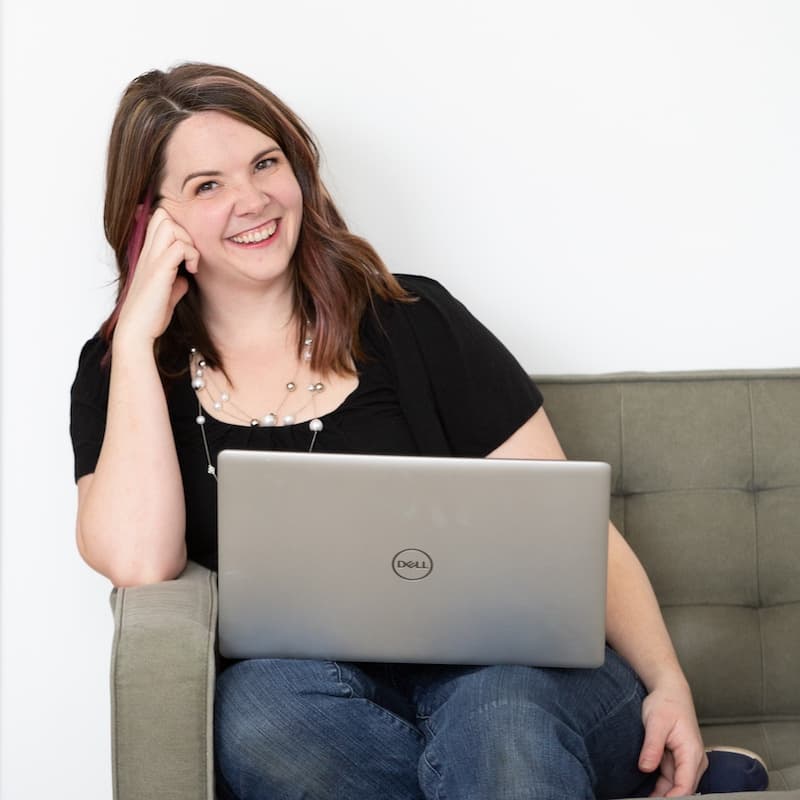
Woman (Meg Casebolt) with long brown hair on a sofa leaning on her right arm with a computer in her lap.

Meg Casebolt helps experienced founders, consultants, and creators become findable in AI-powered search—not through keyword tactics, but through strategic authority positioning.

As founder of Love At First Search, she works with experts who don’t need more SEO advice but do need a new way to be understood by modern search systems. Her approach focuses on helping people become quotable and recommendable: teaching them to claim specific expertise territory and build the signals AI uses to evaluate credibility.

Meg co-hosts the Aggressively Human podcast and has developed frameworks including BEACON and Human-First SEO methodology to help service-based businesses transition from traditional optimization to sustainable authority building.

She lives in Rochester, NY with her husband, two boys, and an 80-pound pit bull, and maintains strong opinions about Broadway musicals, romance novels, and the structural importance of s’mores.

The post Want your art to be found online? New SEO rules with Meg Casebolt (281) appeared first on Art Biz Success.

]]>
Maybe It’s Time to Rethink Pinterest with Hayley Price (241) https://dy-online.com/pinterest-price/ https://dy-online.com/pinterest-price/#comments Thu, 25 Sep 2025 11:41:00 +0000 https://dy-online.com/?p=55219 Pinterest isn’t just for recipes and home décor. It’s one of the most overlooked platforms for artists to grow their visibility and drive steady traffic to their websites. Time to revisit!

Hayley and I discuss how Pinterest works differently than social media, why pins can bring results years later, and simple ways you can start using it today without adding more overwhelm to your already busy schedule.

The post Maybe It’s Time to Rethink Pinterest with Hayley Price (241) appeared first on Art Biz Success.

]]>

Pinterest might not be the first place you think of when it comes to marketing your art. But if you’ve been dismissing it as a platform for recipes and home décor, it may be time to look again.

In this episode of The Art Biz, I talk with Hayley Price—artist, founder of an online gallery, coach, and host of The Art Coaching Club podcast—about how Pinterest can quietly but powerfully support your art career.

Hayley Price acrylic painting
©Hayley Price, Jane & "The Lion, The Witch, and The Wardrobe.” Acrylic on canvas, 20 x 20 inches.

Unlike Instagram, Pinterest isn’t a social platform. It functions more like a search engine.

That distinction matters because your pins don’t vanish in a crowded feed—they’re searchable, discoverable, and relevant long after you post. A single pin can continue bringing people to your site for months or even years. Hayley sees this firsthand: more than 40% of her gallery’s traffic still comes from pins created years ago.

Pinterest also works hand in hand with search engine optimization. Blog posts can be repurposed into multiple pins that point back to your site, multiplying the chances for someone to find your work. And because pins are easy to share and save, your content keeps circulating without you having to constantly show up.

If you’re new to the platform, Hayley suggests starting small:

    • Set up a business account.
    • Connect your Instagram so posts automatically flow into Pinterest.
    • Create a few simple pins for your blogs, collections, or shop pages.

That’s it. You don’t need to create a complex strategy to start seeing results.

Pinterest may not be flashy, but it offers something even better: longevity. A pin created today could still be introducing new people to your art years from now. And that kind of lasting visibility is rare in today’s fast-moving online world. 

Listen

Repurpose something you’ve already shared on Instagram, start a new board for your blog posts or a collection, or revive an old board with fresh pins. Just one small step can set you up for visibility long after you hit publish.

Hayley Price Quotes

“Pinterest is a search engine, not a social media platform.”

“The shelf life of a pin is years. I still see traffic from pins I created six or seven years ago.”

“More than 40% of my gallery’s traffic comes from Pinterest—and much of that is from old pins.”

“If you’ve written a blog, you can turn it into 10 different pins and double your SEO power.”

“You don’t need to be on Pinterest every day. You can set it, forget it, and it still works for you.”

“If a piece sells, don’t delete the pin. ust update the link so people stay in your world.”

“Even a small ad spend goes further on Pinterest than on Instagram, and the pins keep working after the campaign ends.”

“Pinterest can be a mood board. I use it to gather colors, textures, and design inspiration for my own creativity.”

Hayley Price
Hayley with her work.

About Hayley Price

Hayley Price is a dedicated advocate and mentor for artists at every stage of their careers. With a rich educational background as a Studio Art and Business double major from Washington & Lee University, Hayley possesses a deep understanding of both the creative and commercial challenges artists face in the ever-changing landscape of today’s art world.

Her journey has been shaped by a commitment to fostering growth, building relationships, and empowering artists to focus on their passion while she tackles the challenges that ultimately take them out of the studio. 

Follow Hayley on Instagram: @theartcoachingclub

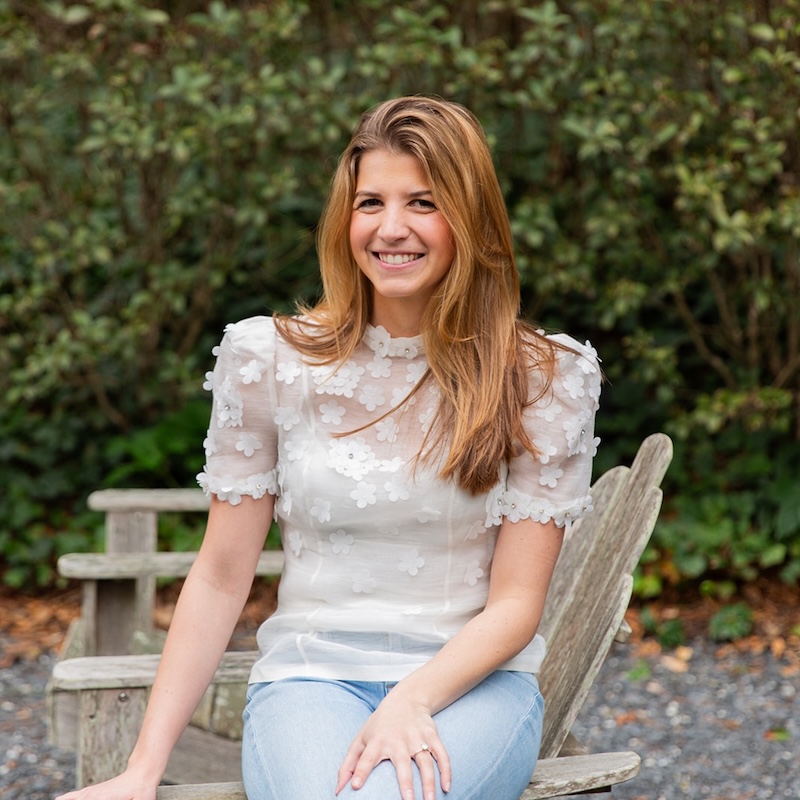
Photo of Jenny McCarty, a woman with dark hair against a dark background and wearing a black scooped-neck top.

The post Maybe It’s Time to Rethink Pinterest with Hayley Price (241) appeared first on Art Biz Success.

]]>

https://dy-online.com/pinterest-price/feed/ 1
Essential WordPress Plugins for Artists: Search Engine Optimization https://dy-online.com/wpplugins-seo/ https://dy-online.com/wpplugins-seo/#comments Fri, 12 Oct 2012 12:00:07 +0000 http://artbizsuccess.com/?p=13965 SEO: Search Engine Optimization. Guest blogger Kim Bruce shares that there are only two things you need to remember when writing good content and making it SEO friendly: 1) your focus keyword and 2) your meta description.

The post Essential WordPress Plugins for Artists: Search Engine Optimization appeared first on Art Biz Success.

]]>
Guest blogger: Kim Bruce
SEO: Search Engine Optimization. I can hear your sighs.
There are only two things you need to remember when writing good content and making it SEO friendly: 1) your focus keyword and 2) your meta description.
Content is king
Let’s define these.

  1. Focus Keyword. Keywords are what people type into the search engines in order to find your site. It is good practice and adds weight to your credibility (in the eyes of search engines) if you focus on one main keyword per page/post.
  2. Meta Description. The meta description is 160 characters of text that describes what the post is about. It often appears in the search engine results and can influence people to click through to your site.

WordPress SEO by Yoast is my plugin of choice for search engine optimization. Though it appears complex, you can use it straight out of the box (as installed).
If you do use it out of the box, then you must fill in the SEO form that is available under the editor of every page and post of your site. If you’d like to avoid this process, take the time to fill in the general meta description template available under the Home tab of the plugin.
I use this plugin because it guides and rates SEO for every page. It will tell you if you missed something or pluralized your keyword (which results in a red instead of green rating).
Another reason I like WordPress SEO is that it inserts the meta title and meta description higher up in your Head source code, which makes it readily available for the search engines to find and index.

Screen capture of the SEO form from the post I wrote on the Ultimate Security Checker.

If you don’t use an SEO plugin at all the search engines are going to create their own meta description using the first 160 characters from your post.
What blogger doesn’t want to control what potential visitors read in search engine results? Taking the time to craft your general meta description in the plugins template might be the clincher that encourages click-throughs to your site.

Kim BruceAbout Our Guest Blogger

Kim Bruce is a working artist who runs Artbiz, where she creates websites for artists. She also teaches how to watermark images with NextGen Gallery at The WordPress for Artists School. Kim works out of her office/studio located in the foothills of Alberta just outside of Calgary.

The post Essential WordPress Plugins for Artists: Search Engine Optimization appeared first on Art Biz Success.

]]>
https://dy-online.com/wpplugins-seo/feed/ 18
Google Insights Fine Tunes Your Art Website https://dy-online.com/google-insights/ https://dy-online.com/google-insights/#comments Tue, 07 Dec 2010 12:00:44 +0000 http://artbizsuccess.com/?p=8299 Google Insights for Search is a research tool that can help you to fine tune your keywords with Google’s results and with their suggestions. Google Insights gives you the data to optimize all areas of your art marketing and art promotion in terms of topics, keywords and title tags.

The post Google Insights Fine Tunes Your Art Website appeared first on Art Biz Success.

]]>
Guest Blogger: John R. Math
Google Insights for Search (Google Insights) is a free tool used mostly by marketing and advertising professionals to research keyword and topic trends.
Artists can also benefit from using Google Insights. Let’s explore the advantages of Google Insights for marketing and promoting your art.
As an example, locate the Google Insights page and type in the search term “Abstract Art.”
Next, make this search for the Art and Humanities category, for the period of time of 2004 to the present (this time filter can be as short a span as the last 7 days).
The query (“Abstract Art”) reveals that the Top Searches terms are “abstract art paintings,” “abstract paintings,” and “abstract painting.” Further, this query also shows the top 3 Rising Searches to be “abstract painting techniques,” “abstract wallpapers,” and “abstract art definition.” (More on this below.) Google also provides, suggests, and ranks additional search terms for each of these search queries as well.
Google Insights allows you to compare these search queries by search terms, geographic locations, or time frames.
The search query can also be filtered and compared by:  1. Web Search. 2. Image Search. 3. News Search. 4. Product Search. Further, this information can be filtered by a Category Search or by All Categories. [See image #1.]
Google Insights
Google Insights #1: Various ways to filter your search

Uses for Google Insights

These filters provide detailed, up-to-date, and reliable search term information that can be compared and used for:

  • Keywords for art websites
  • Keywords for art blogs
  • Art blog topics
  • Keywords for title tags and page tags
  • Topic ideas for article content
  • Keywords for AdWords campaigns
  • Keywords for press release content

Keywords Trends

As mentioned above, Google Insights provides you with the “Rising Searches” for a particular search term as well. Rising Searches allow you to determine whether the search terms, related to the keyword, are either rising or falling (noticeable over time) in interest. [See image #2.]

Google Insights
Google Insights #2: Rising Searches in the right column

The Rising Search term suggestions can give you an edge over your competition if you decide to tweak your keywords and eliminate those that are falling in interest.
Google Insights also shows a graph titled Interest Over Time. This information is based on how many searches have been done for a particular search term, relative to the total number of searches on Google over a specific period of time. [See image #3.] This information is an adjunct to the Rising Searches information and may be more relevant to an advertiser but you can still use this data to gauge interest and relevance in certain search terms and with potential content topics.
Google Insights
Google Insights #3: Interest Over Time graph

Overall, Google Insights for Search is a research tool that can help you to fine tune your keywords with Google’s results and with their suggestions. Google Insights gives you the data to optimize all areas of your art marketing and art promotion in terms of topics, keywords and title tags. Take advantage of this little known tool and stay ahead of the curve in your art niche.

About the Guest Blogger
John R. Math is a successful art photographer who sells his work through art galleries and to the corporate art market.  He is also an art marketing consultant and operates a successful online art gallery that conducts monthly themed art competitions for new and emerging artists. John writes extensively about the art business, art marketing and photography. He is a regular featured writer for ArtBistro.com and PhotoLicensingOptions.com and lives in Jupiter, Florida.

The post Google Insights Fine Tunes Your Art Website appeared first on Art Biz Success.

]]>
https://dy-online.com/google-insights/feed/ 7