
Let me emphasize that by saying it a different way: There is nothing more important you can do to build your art business and career than to nurture your relationships.
In reality, most artists have 3 mailing lists, not just 1. Here's what I mean.
The post Rethinking mailing lists for artists (182) appeared first on Art Biz Success.
]]>




The post Rethinking mailing lists for artists (182) appeared first on Art Biz Success.
]]>The post Build Your Own Website In 10 Minutes (Not) appeared first on Art Biz Success.
]]>I read in several places that you could “create your own website in 10 minutes” [link removed at author’s request] with WordPress. While I never believed it would take 10 minutes, I never imagined it would take 100 hours.
Perhaps you can benefit from my experience.
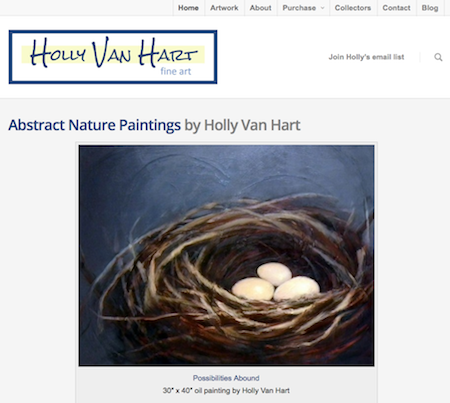
I already had an art website, a contract with a web hosting service, a domain name, and a blog hosted by Google (Blogger). But my site was 5 years old and needed to be totally overhauled with new, fresh content and current styling. It also needed to be integrated with my blog.
The objective was to get a very professional, crisp and clean looking website that leveraged the excellent advice from I’d Rather Be in the Studio by Alyson Stanfield, Guerilla Marketing for Artists by Barney Davey, and Starving to Successful by Jason Horejs.
I debated between using a DIY website platform and creating a self-hosted website. Self-hosted means you own your website and have full control over it. It also means more work to set up and maintain.
 Full control means complete responsibility.
Nevertheless, I opted for a self-hosted WordPress website (WordPress.org) in order to have more options and functionality for my site.
Like most artists, I am very selective about the look and feel of my website. I want to be sure that it shows off my art well, so I put a high value on having the control of a self-hosted website.
WordPress is used widely and here to stay. Because I learned a valuable skill set, I will be able to maintain and update my website for years to come. Websites need to be living things and constantly infused with new images and content.
The Specs
Here are the technical solutions implemented for HollyVanHart.com, along with the costs.
| TECHNICAL SOLUTION |
COST |
| WordPress.org software | Free |
| Hosting service (Linux) | ~$6/month |
| ‘Salient’ theme for WordPress | $55 one-time fee |
| 18 WordPress plug-ins for special purpose functions | Free |
| My time to learn WordPress and create the website | 100 hours of my time |
Why 100 Hours?
Why did it take me 100 hours?
My investment of time included learning WordPress and creating all-new content. It also included tweaking the site until it had the look and feel I wanted. Still . . . 100 hours of my time was way too much!
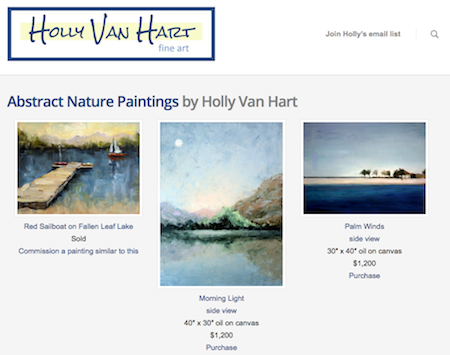
WordPress is a wonderful solution and is used by 19% of websites today. But it’s not for the inexperienced. I didn’t realize the needed functionality would require not only WordPress.org software but also a custom WordPress theme, no less than 18 special purpose plug-ins, and a lot of research on how to piece it all together.
Benefit From My Experience
The response to my new site has been all positive and encouraging, but I can’t recommend building a website on your own.
If you need a new website for your art and, like me, don’t have prior website experience, I recommend using a DIY website platform or hiring a consultant who knows what they are doing. Just be sure that you can add/edit your images easily and make other simple changes on your own.
Our time is better spent in the studio.
Did you DIY your site? What is your experience?

About Our Guest Blogger
Holly Van Hart is an award-winning artist based in the Silicon Valley. She paints abstract nature paintings that surprise us with unusual colors and textures, and ignite new excitement about a particular slice of nature. Click here to learn more about Holly and her work.
The post Build Your Own Website In 10 Minutes (Not) appeared first on Art Biz Success.
]]>The post How Evernote Can Save Your Relationships with Collectors appeared first on Art Biz Success.
]]>Using a database or spreadsheet to take care of your customers can feel like choosing a Swiss Army Knife to file your nails. It works, but it sure is awkward.
Databases Can Be Too . . . Too
Database/spreadsheet programs for artists try to have the tools to do everything, but they can be a little clunky when it comes to actually using them. They promise to track your art, your customers, your sales, your shows, your editions, your invoices… and heck, probably even your dinner date next week!
The programs are so complex with interwoven cool database-y, interlink-y tricks that pretty soon you’ve got 10 windows open and you still can’t find that note you made in a comment field about what your customer likes.
What is the right tool for any job? I think the right tool is:

- The simplest one,
- The one you will actually use, and
- The one where you can find the information you need quickly.
Evernote, an awesome, free app for Mac, PC & mobile devices, can do just that—and help you serve your customers better.
Your Collectors Deserve Better
Is your buyer a piece of data or a living, breathing person?
Customers (and potential customers) need nurturing. Relationships are so much more important to growing your business than filling out database fields for super-dupery sorting. When you put your buyer’s name and contact information into your database of transactions, or a potential customer into your gmail contacts, they might get filed away and forgotten.
Evernote makes it easier to keep in touch with the people who love you and your work by supplementing your brain—making links between the things you know, and the people you’ve interacted with.
5 Ways to Use Evernote to Cultivate Collectors
1. Store your buyers’ info.
Make a note for every person you want to stay in touch with.
Record all of your interactions including the conversations you’ve had, their hobbies, what they’ve bought… and ANYthing you can think of. You are not bound by rigid fields someone else sets up for you.
2. Search for connections.
Evernote searches all of your notes organically, retrieves and shows you connections and possibilities you may never have thought of.
Alyson has posted about how handy the web clipper is in Evernote for researching and syncing between devices.

With your customers and their interests lodged in Evernote, you can quickly do a search and find an interesting, pertinent article to send to your customer.
3. Connect spontaneously and informally.
You’re walking down the street and you see something that reminds you of a conversation you had last month with a fan … but who was it? Evernote reminds you, and you can take a quick pic and email it off with a note.
As an artist in business, your most valuable asset is your list of fans. Doesn’t it sometimes feel pushy to send out only announcements? With Evernote helping you, you can send them personalized notes that delight and inform them, so you stay at the top of their mind.
4. Keep your email inbox clean.
You can forward important customer emails from your inbox right to Evernote using your assigned Evernote email. Don’t forget to modify the Subject line to include your customer’s name. (See how to do this.)
5. Connect buyers to purchases.
If you also set up Evernote to track and catalog your art, use Note Linking in Evernote to quickly see what each customer has purchased.

All the information you need is at your fingertips in Evernote, in a format that is easy to access that you will actually enjoy using. Try it!
About Our Guest Blogger
Laurie McCarriar is an Asheville-based photographic artist and artist geek, who helps artists & creatives learn and embrace simple tech tools to make the business of art less overwhelming—you get more time in your studio! Upcoming online course and reference guide: Artist Geek Guide to Using Evernote (for Artists)—ninja tips, tricks, workflow and templates to track your art, organize your brain, and keep your customers happy. Evernote is also one of the featured topics at her Beach Geek Retreat Week, held in Sandbridge VA every September.

The post How Evernote Can Save Your Relationships with Collectors appeared first on Art Biz Success.
]]>The post Features to Look for in Artist Software appeared first on Art Biz Success.
]]>I do know, however, that my clients are very happy with Artwork Archive.
These are some of the features that I would want in a database. I’d make sure any program had the ability to:
- Print labels and reports directly from the program without having to export data
- Change formatting or add fields
- Categorize the mailing list (friends, family, collectors, prospects, . . . )
- Add photos
- Export data in a CSV file format
- Import data from a CSV file format (especially if you currently have a lot of information stored in Excel)
- Search for records by keywords, media, name, or whatever
What am I missing? What couldn’t you live without in a good database?
The post Features to Look for in Artist Software appeared first on Art Biz Success.
]]>