
SEO expert Meg Casebolt explains what it means to be legible to these tools at three levels: you, your body of work, and each image. Start with one search you can run today, then fix the sources it pulls from on your website and other profiles.
The post Want your art to be found online? New SEO rules with Meg Casebolt (281) appeared first on Art Biz Success.
]]>

The post Want your art to be found online? New SEO rules with Meg Casebolt (281) appeared first on Art Biz Success.
]]>In this solo episode, I share 11 smart, doable tactics to get more eyes on your art (plus a link to download all 22). No sleazy tricks—just thoughtful ways to guide people to your digital doorstep and keep your work from staying hidden in the corners of the internet.
The post 22 Tactics to thoughtfully invite people to visit your artist website (228) appeared first on Art Biz Success.
]]>
The post 22 Tactics to thoughtfully invite people to visit your artist website (228) appeared first on Art Biz Success.
]]>You’ll learn how search engines work, the simple steps you can take to help people discover your art, and which metrics to track to know if your efforts are paying off. Stop relying on algorithms and start showing up with intention.
The post What artists need to know about SEO with Meg Casebolt (222) appeared first on Art Biz Success.
]]>




The post What artists need to know about SEO with Meg Casebolt (222) appeared first on Art Biz Success.
]]>Your website is the 1 piece of virtual real estate that you have 100% control over. You select what people see and define how they will navigate the experience. Are you ready for them?
This is a focused conversation with Jessica Burko about artist websites.
The post Presenting yourself professionally on your artist website with Jessica Burko (174) appeared first on Art Biz Success.
]]>




The post Presenting yourself professionally on your artist website with Jessica Burko (174) appeared first on Art Biz Success.
]]>In short, you need for it to be up and functioning at its best. All. The. Time.
What would happen if it crashed?
And … Who would you turn to if you needed a quick update to your site because you found out you were being featured in an article? Is that person always available for you?
You may have a great relationship with your web designer and hosting service right now, but you can’t predict what might happen in the future.
I’ve witnessed so many artists get stuck because they were abandoned by their webmasters and have no idea how to access their sites.
Don’t let this happen to you!
Maybe you have a DIY site, but it’s been awhile since you have worked on the backend of it. How do you get there?
You are a savvy artist-entrepreneur, so make sure you have complete control over your Internet presence--even if you are lucky enough to have someone helping you.
You don’t want to leave this to chance. You don’t want to learn later that your life could have been so much easier if only you had a few answers at your fingertips.
What follows is a list with all of the information you need from the people who maintain your sites, even if “the people” is only you.
The post Must-Have Website Info That Should Be at Your Fingertips appeared first on Art Biz Success.
]]>In short, you need for it to be up and functioning at its best. All. The. Time.
What would happen if it crashed?
And … Who would you turn to if you needed a quick update to your site because you found out you were being featured in an article? Is that person always available for you?
You may have a great relationship with your web designer and hosting service right now, but you can’t predict what might happen in the future.
I’ve witnessed so many artists get stuck because they were abandoned by their webmasters and have no idea how to access their sites.
Don’t let this happen to you!
Maybe you have a DIY site, but it’s been awhile since you have worked on the backend of it. How do you get there?
You are a savvy artist-entrepreneur, so make sure you have complete control over your internet presence–even if you are lucky enough to have someone helping you.
You don’t want to leave this to chance. You don’t want to learn later that your life could have been so much easier if only you had a few answers at your fingertips.
What follows is a list with all of the information you need from the people who maintain your artist website, even if “the people” is only you.
Domain Registrar
Usually the domain registrar is hosted by the place where you purchased it, but it might have been moved to another domain host.
I prefer that my domain is hosted separately from the company that hosts my website. It makes breaking up with a hosting company much easier. I’ve had to break up with a website hosting company twice and found this out the hard way.
URL of domain registry:
Accessing Your Domain Registration Account
URL to login:
Username:
Password:
PIN if applicable:
Security questions/answers:
Best way to get help:
Domain name renewal date:
You don’t want to miss this! It could cause big trouble if your web designer is incapacitated for any reason and misses your renewal date. Mine are set to auto renewal and notices come directly to me, which places the control in my hands.

Website Hosting Company
Name of website host:
Date of renewal for hosting account:
Accessing Your Web Hosting Account
Login URL for hosting site:
Username:
Password:
PIN if applicable:
Security questions/answers:
Limitations
How much hard drive space is available?
How much bandwidth is available?
How many sites can I host under this account?
Email Addresses
Addresses hosted on this server:
Passwords:
SMTP settings:
POP settings:
Advanced SMTP port setting:
This is a number like 25, 80, 587, 465, 2222, or 3535.
How many email addresses are available to me?
Where/how are they configured?
How do I log in to webmail? This is something you want to have handy in case your email isn’t downloading to your computer.
FTP (File Transfer Protocol)
Host address or name:
Username:
Password:
Port:
Best way to get help from hosting company:
Blog
If your blog is separate from your website, you need login information for your blog as well.
Login URL:
Username:
Password:
PIN if applicable:
Email used to create your log in access:
This is needed to reset your password in case you forget it.
Security questions/answers:
Theme name and version #, if using WordPress:
Got it?
You don’t need to understand what all of this means. You just need to trust me that this is must-have information for your records.
Don’t be afraid to ask for these details. Whether or not you have someone helping you, you paid for the site.
If you have this information, you will be able to control your home base online.
Your Turn
If you have a story about being caught without access to the above information, please share it in a comment below. Your examples will help artists learn.
This post was originally published on February 18, 2016 and has been updated with the original comments intact.
The post Must-Have Website Info That Should Be at Your Fingertips appeared first on Art Biz Success.
]]>When something isn't working, you have to test, make adjustments, and test more. Here are four places to begin your diagnosis into why your art isn't selling on your website.
The post Why your website isn’t generating sales appeared first on Art Biz Success.
]]>Your website is for generating sales and opportunities – even if you don’t sell directly from your site. You’re using your site as a digital portfolio to sell galleries and other venues on the idea of your art.
There are numerous factors as to why some art sells better online than others. Perhaps the work is more “popular” or more affordable. Or maybe the artists use their lists and social media more effectively.
Without taking those things into account, there are four errors you should correct immediately if you would like more sales and opportunities. Each is a step toward making it easier for people to buy.
1. You make people click too many times to see the art.
If your website hasn’t been updated in years, you might have an old template that makes people click numerous links to see your art. It’s time for a major overhaul.
Can you imagine walking into a gallery and not knowing what they sell? If you’re sending people to your site to see, appreciate and, perhaps, purchase your art, you’d better show it to them on every page.
That’s right: every page. Your website has acres of virtual real estate that needs your art to make it attractive to visitors. Use it!

You never know where people will land on your site, so see that the art is the main feature.
2. You don’t make it clear what you’re selling.
Would you install your art in a space without a label next to it? No!
Would you want anyone else to install your art without acknowledging you as the maker? Absolutely not! You’d probably get miffed (and rightly so) if someone did.
And, yet, many artists are showing their art online without giving themselves proper credit. A credit line looks like this.
©Your Name, Title of Artwork. Medium (be specific), size (H x W x D inches/cm). Photo credit if necessary.
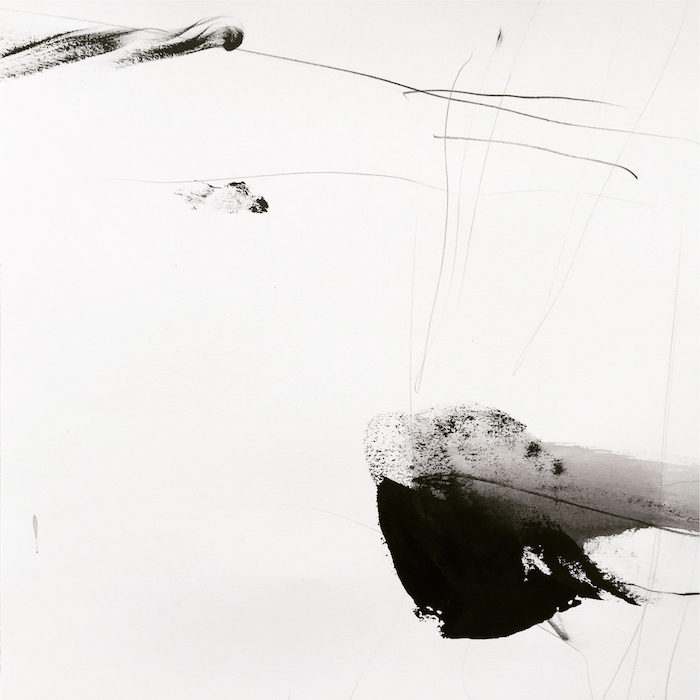
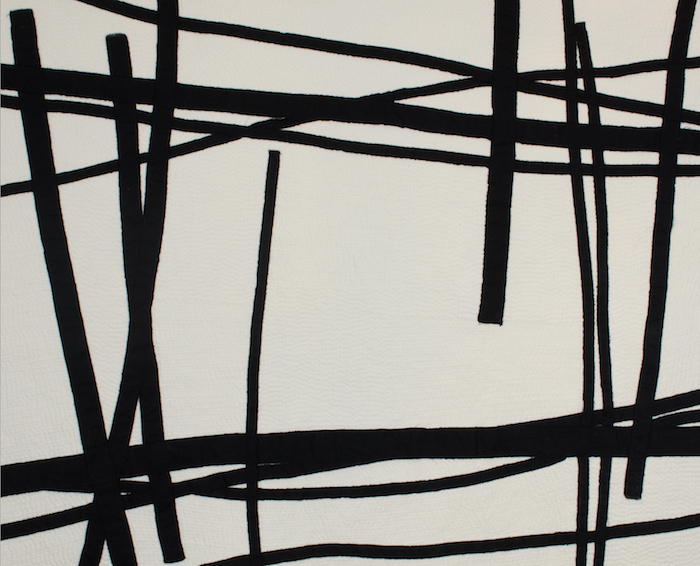
You can see the above format in use under the featured images on this post. Yours doesn’t have to follow this exact configuration. You can vary the sequence and punctuation as long as the credit line includes each of those elements and as long as you are consistent.
Potential buyers more easily imagine the art in their space and lives when they know specifics. You not only need to be clear about medium and size, but also about matting, framing, and anything else that would be included.
Take photos of the art in situ, or installed in an office or home environment to help people visualize the scale. Having this complete information makes someone more likely to click the purchase button.
3. You don’t include prices.
I’ve heard from numerous artists who have had people ask if their work is for sale. (Yes. Really.) If you want to sell your art, post your prices. Prices say Hey! I’m available!
I know it sounds crazy to us, but just because you have your art online doesn’t mean people know they can buy it. You have to tell them.
If you want gallery representation, visible prices help gallerists determine whether or not you’re a good fit for their venue.
If you have gallery representation, you would add a link to drive sales to the gallery: Available Through XYZ Gallery.
4. You don’t tell them HOW they can purchase the work.
If you are among the many artists who doesn’t yet have e-commerce on your site, the buying process may be a mystery.
Posting prices is one step, but if there’s not a flashy “Buy Now” button (which I don’t recommend), your site visitors might be confused and leave.
Create a page on your site that tells people exactly how to contact you and what they need to do to purchase. Or, as mentioned under #3 above, link to the gallery where they can find your work.
In your credit line, you can include your price with a link to purchasing information.
©Your Name, Title of Artwork. Medium (be specific), size (H x W x D inches/cm).
$600.
Click here for purchasing info
Don’t assume that people will jump through hoops to email or phone you and ask about purchasing a piece.
S.p.e.l.l. I.t. O.u.t.
The post Why your website isn’t generating sales appeared first on Art Biz Success.
]]>The post 9 Artist Resources for Better Performing Websites and Blogs appeared first on Art Biz Success.
]]>I thought it might be helpful if, from time to time, I curated some topics for you.
Today’s post brings together a bunch of articles to help with the look and functionality of your website or blog.
Free Articles
31 Types of Photographs You Can Use to Promote Your Art
Just what it sounds like: a compilation of ideas that should keep you snapping pictures for years to come.
Includes 8 different ways you can photograph your art, 9 pictures to take of your office, 7 studio shots, and 8 mugs of you.
11 Fast Website or Blog Fixes
If your website or blog has been under-performing, there’s no need to take drastic measures like creating an entirely new site. Consider these 11 tweaks to give your online presence a boost.
Create a Style Sheet for Your Website or Blog
Is your online presence as consistent and professional as it could be? A style sheet could save you.
Being consistent with your colors, font styles, and font sizes will keep your site in order and save you time because you won’t have to think about what to use. You have established rules.
Remix Images of Your Art for a Fresh Look
This post is for you if you are tired of traditional art categories or if your art doesn’t make sense in those categories.
It might also be helpful for anyone who just wants a change.
Placing Older Art on Your Website
If I had to write this post again, I’d call it “Earlier Art,” which is a much more appropriate name for it. But whatever you call it, earlier art presents a dilemma for artists.
You don’t want it to overshadow your new work, but you do want to be able to share it with people who might be interested. I have some ideas for you in this article.
Strategic E-Marketing: Connecting the Components
I can’t tell you how many times I visit an artist’s site and can’t find their Twitter link. Or even a link to their blog!
Or I’ll visit their Facebook profile and wonder why it isn’t linked to their business page on Facebook.
Make it easy for people to find you – wherever they first land!
Personalize Your Error Pages
This is a little touch that can go a long way for your readers and visitors.
When they land on a page that you’ve moved or deleted, tell them you understand how frustrating it is to get a big Error on a page. Try to make it right, and then give them options for staying on your site.
Audio Program
I called on Pat Velte, my Web guru, for Website Makeover for Artists.
We talked about what artists are doing wrong on their sites and how you can fix the errors. (Most are easy and completely free!)
Click here to learn more about this audio program and transcript.
 Self-Study
Writing coach Cynthia Morris tackled the stuff she’s good at (writing!) and I handled blog functionality and appearance in our Blog Triage Self-Study.
20 detailed lessons in audio and PDF files. Plenty to keep you improving your blog for weeks. Read the details here.
These two programs are no longer for sale.
The post 9 Artist Resources for Better Performing Websites and Blogs appeared first on Art Biz Success.
]]>The post If Your Blog And Website Are Separate appeared first on Art Biz Success.
]]>It was a last-minute decision, but a big Duh moment. . . . We used the same navigation menu for each site.
Here’s the Art Biz Coach site/menu:

And here’s the Art Biz Blog site/menu:

The only difference is the logo. Otherwise, visitors feel like they’re on the same site.
This is a game changer for me. It’s a solution for something that’s been bugging me for years.
It’s The Result Of Being an Early(ish) Blogger
The reason that Art Biz Coach and Art Biz Blog were separate in the first place is because I started the blog on a different blogging platform based on the best advice I had at that time.
If I had known better, I’d have done what I encourage all of my clients to do: build a WordPress site that integrates a blog with static pages. There is no reason to have a blog separate from a website.
I switched the blog to WordPress a few years ago, but the two sites still remained separate and I’ve always struggled with this.
Now they are both on WordPress (two different installations), but they look much more cohesive. As a bonus, I’ll get more people seeing my programs and products because of the new navigation menu on the blog.
I’m sure WordPress makes this easier to do than if you have an HTML site and a Blogger site. It’s also easier if you have an amazing Web guru like Pat Velte helping you.
Even if you can’t model this solution, I implore you to add a BLOG link to your website in your main navigation menu – even if it takes people to a new site and window. You’ll get more clicks on your blog link than on many other items in your menu because people expect to find new/fresh content there.
Make it easy for people to find your blog!
The post If Your Blog And Website Are Separate appeared first on Art Biz Success.
]]>The post Whip Your Website Into Submission appeared first on Art Biz Success.
]]>If you’ve been adding new pages, images, and content over time, before you know it, your site has turned into one hot mess.

I need to get ArtBizCoach.com back into racing shape, and I imagine your site could also use a tune-up. This is important!
Our websites are often the first place that people experience our work. We don’t want to be apologizing for them! And we want to make sure that people have a meaningful experience when they drop in.
Below is my timeline for whipping Art Biz Coach back into shape, with suggestions for doing it for your site.
Inventory Content
By October 31
Conduct a detailed inventory of everything that is on the ArtBizCoach.com server, including:
-
- Primary links
- Sublinks
- Hidden download pages
- Password-protected pages
You will have, at the minimum, primary links (your main menu) and sublinks (content pages and art pages). Also note any old pages that aren’t linked to anything, which can be deleted in the next steps.
Outline Site Framework
By November 15
Decide what will be on the new Art Biz Coach site in each of these main categories:
-
- Products: Books, Audio
- Services: Coaching, Seminars
- Info: About, Media Room
- Outgoing links: Partners
For you, main categories might be: Art, Reproductions, Classes, Info.
Tip: Don’t use too many main categories! Visitors will be confused if there are too many options in a menu, and a confused visitor never sticks around.
Write the individual content areas on Post-It notes and move them around on your wall in logical order. You might even include the graphic images (your art!) you will add to each page, which will make the process very visual.
Prepare Site
By November 30
Install new WordPress theme and begin rebuilding ArtBizCoach.com with help from Pat, my Web guru.
I resisted using WordPress for my last Art Biz Coach update – opting for straight HTML instead – but it’s time to make the switch to a WordPress site.
What kind of structure do you need to add or change in order to rebuild and refresh your site?
Launch
By January 2, 2013
Launch the new ArtBizCoach.com site.
What work do you have to do in order to whip your website back into submission? Leave a comment and hold yourself accountable.
The post Whip Your Website Into Submission appeared first on Art Biz Success.
]]>The post Coordinating Your Marketing Efforts appeared first on Art Biz Success.
]]>Website, blog, newsletter, email, Instagram, Facebook, Twitter, LinkedIn, YouTube, TikTok, Pinterest. The list just keeps exploding.
How do you keep up with it all?
The answer is: You can’t!
Don’t even try.
The trick is to admit defeat. To let go of the platforms that aren’t serving you or that just feel like no fun.
Here’s a rundown of 3 basic platforms you should be using to promote your art and how they work with one another. Facebook is optional, but recommended. The other two are mandatory.
Blog or Website
Your artist website is your home base, your brand, your everything. You can’t neglect your site!
Use might use your site to brand yourself as an expert. You might be an expert on your subject matter, an expert on your media, or an expert on local artists. In those instances, you probably need a blog.
Or you might just be an expert on you.
It’s critical that you do this on your site and not on a social media site owned by a big company. It’s the only way you can control your message and ensure that it endures.
Tips for coordinating your site with other marketing platforms:
- Use your site to collect email addresses through a sign-up form.
- Make sure your social media links are easy to find.
- Install “Share” buttons to blog posts so that visitors can share your content quickly on social media sites.
- Create Pinterest boards for your top blog posts and thematic groupings of your art.
Some people will connect with you through your blog or social media, but you can’t count on that. You can’t control those algorithms.
Email, whether in the form of short reminders or newsletters, is vital for keeping your name in front of people. Send email messages to announce exhibitions and classes, send invitations, and broadcast reminders.
Tips for coordinating your email with other marketing platforms:
- Revise content from your blog or social media updates for email newsletters.
- Use email to drive people to your website or blog, but don’t send them to your home page. Home pages are boring! Send them to the page with your hot-out-of-the-studio art or your most-commented-on blog post.
- Provide links to your social profiles in your email newsletters and encourage people to follow you.
Facebook or Instagram
Remember that most people will see your updates as they appear in news feeds—not from your timeline or profile page. It’s rare that people (unless they’re spending way too much time on the computer) who saw an update of yours at 8 a.m. would see another one at 4 p.m.
Tips for coordinating your social profiles with other marketing platforms:
- Make sure the link to your website or blog appears in your profiles. People should be able to quickly find the link and visit your site.
- See that your Facebook business page shows up as your employer on your personal profile. (IOW, that your business page is your employer.)
- Consider making custom posts in the native apps rather than cross-posting the same message across diverse platforms.
- Every now and then, post an invitation to subscribe to your email newsletter.
That’s it! website/blog, email, and social media, although this is by no means a comprehensive list of how you can coordinate these marketing tools.
I know what you’re asking now: Where’s Twitter? Why not Pinterest? What about YouTube?
We could go on and on. If you like these additional platforms, use them! They’re all good. They can all be worthwhile if used consistently and with respect for their unique qualities.
But . . . Coordinate your marketing efforts. Your various profiles, sites, and platforms do not stand by themselves. You must use them in harmony in order to be effective with your message.
How are you coordinating your marketing?
The post Coordinating Your Marketing Efforts appeared first on Art Biz Success.
]]>